
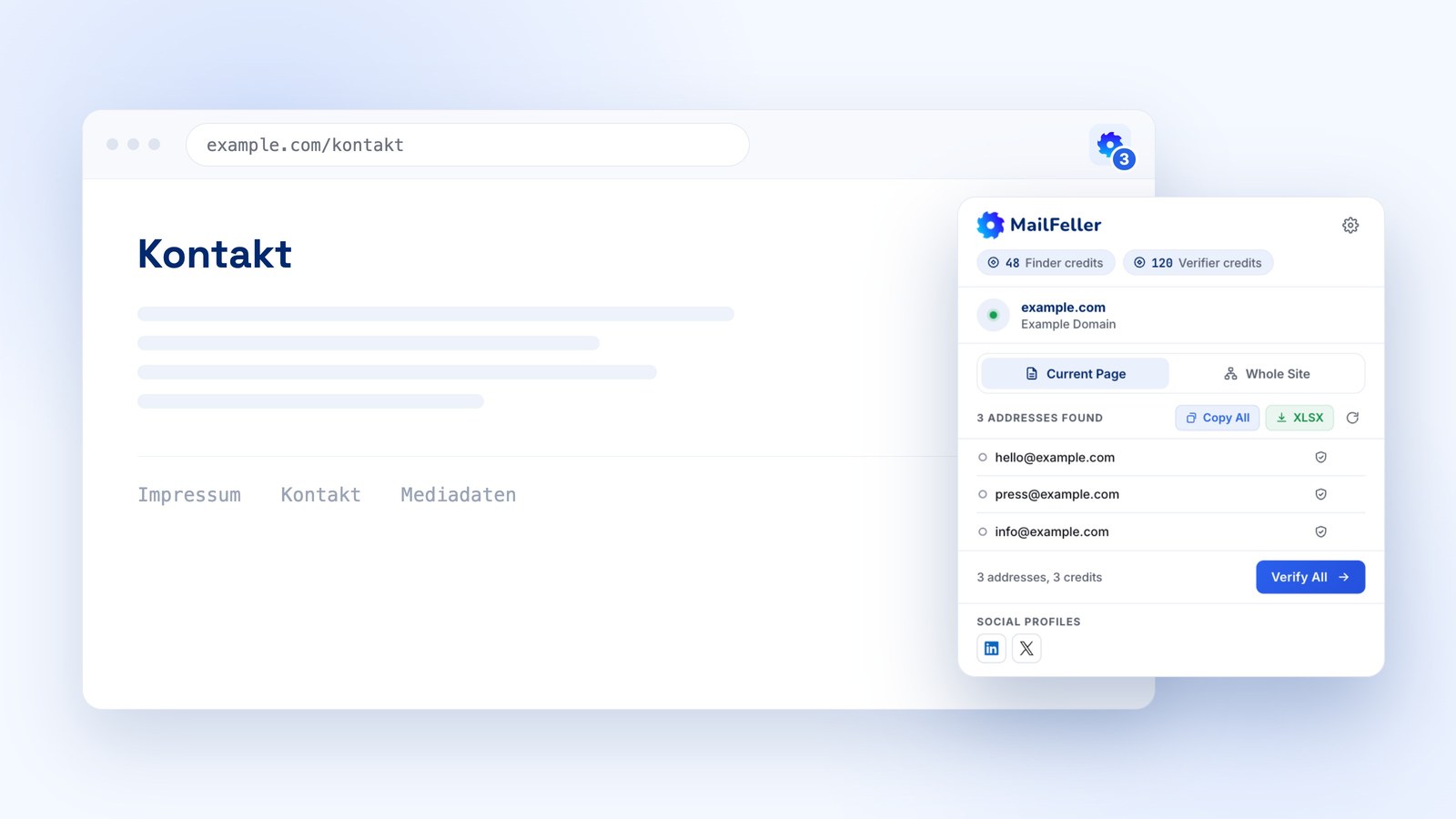
You are on a donor's site wondering who to write to. That used to mean copying the domain, opening the dashboard, starting a task and waiting. Now it is one click.
MailFeller has a Chrome extension: hit the icon and you see every contact on the page, verify them right there, and when the page is empty, run a lookup across the whole site. No copying domains, no task in the dashboard.
Why
A task in the dashboard is for a list of five hundred domains. For one site you already have open it is overkill. The extension drops it entirely: the number of addresses is right on the icon, before you even click it.
Current page
Hit the icon and you see every address on the open page, plus the social profiles it links to. It costs no credits: the page is already in your browser. From there you either copy it all in one click or export it to XLSX.
Verification
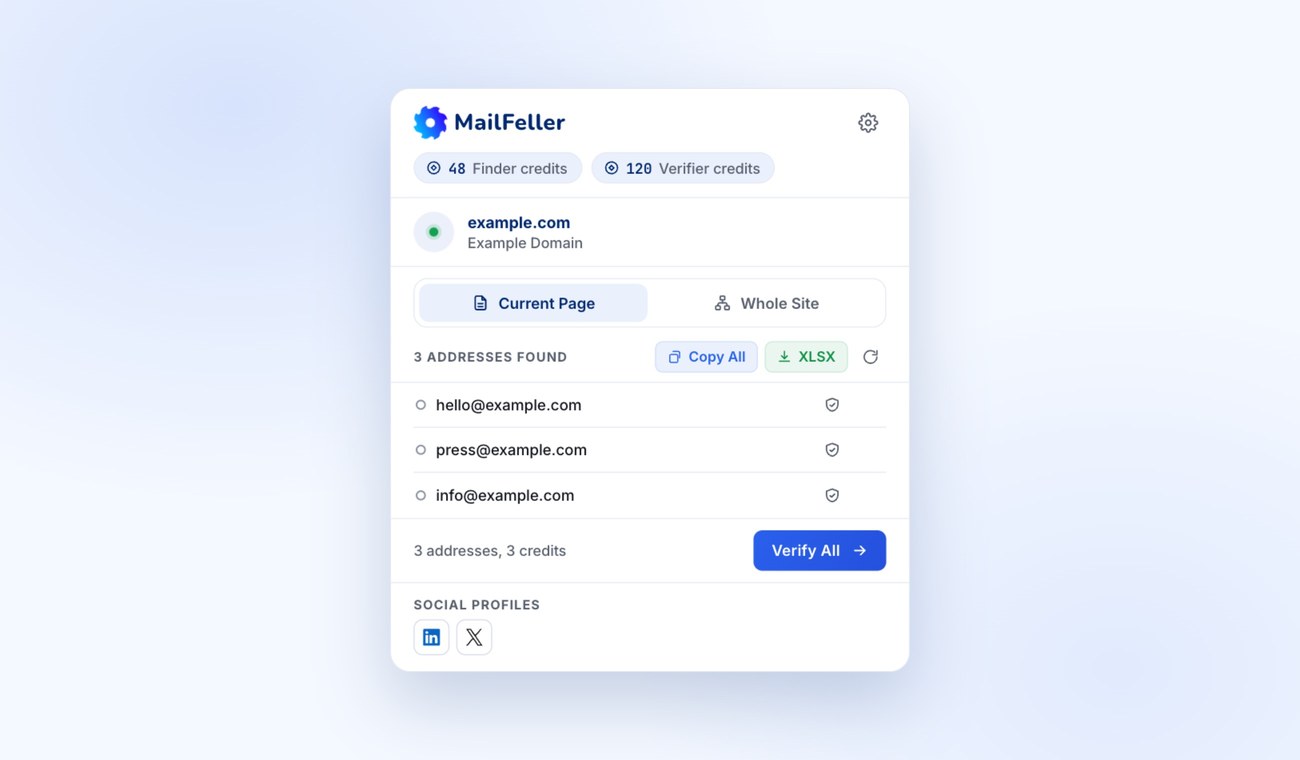
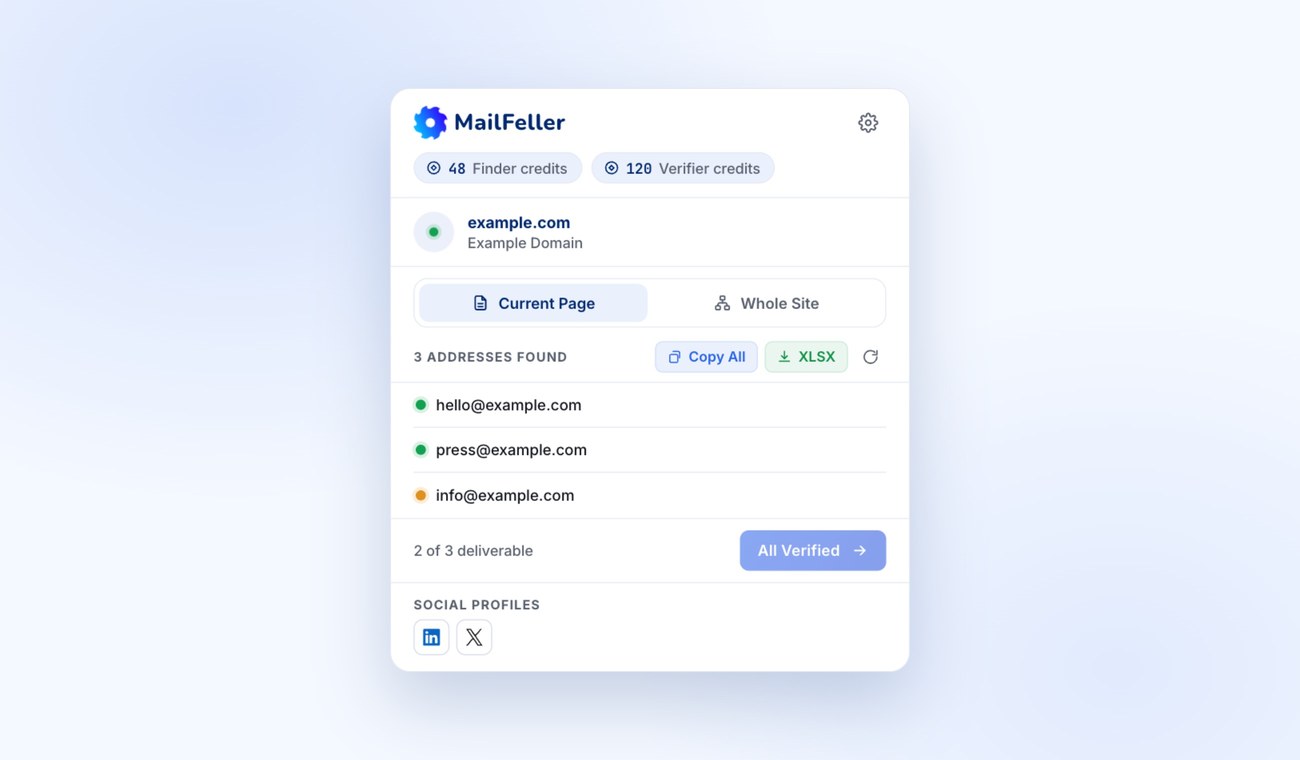
Verify All checks everything it found. Each address gets a status, a green dot means valid. Up to 25 at a time, one Emails Verifier credit each, same as in the dashboard.
Statuses are kept for 30 days. Come back to the same site and the same addresses will not cost you twice.
Whole site
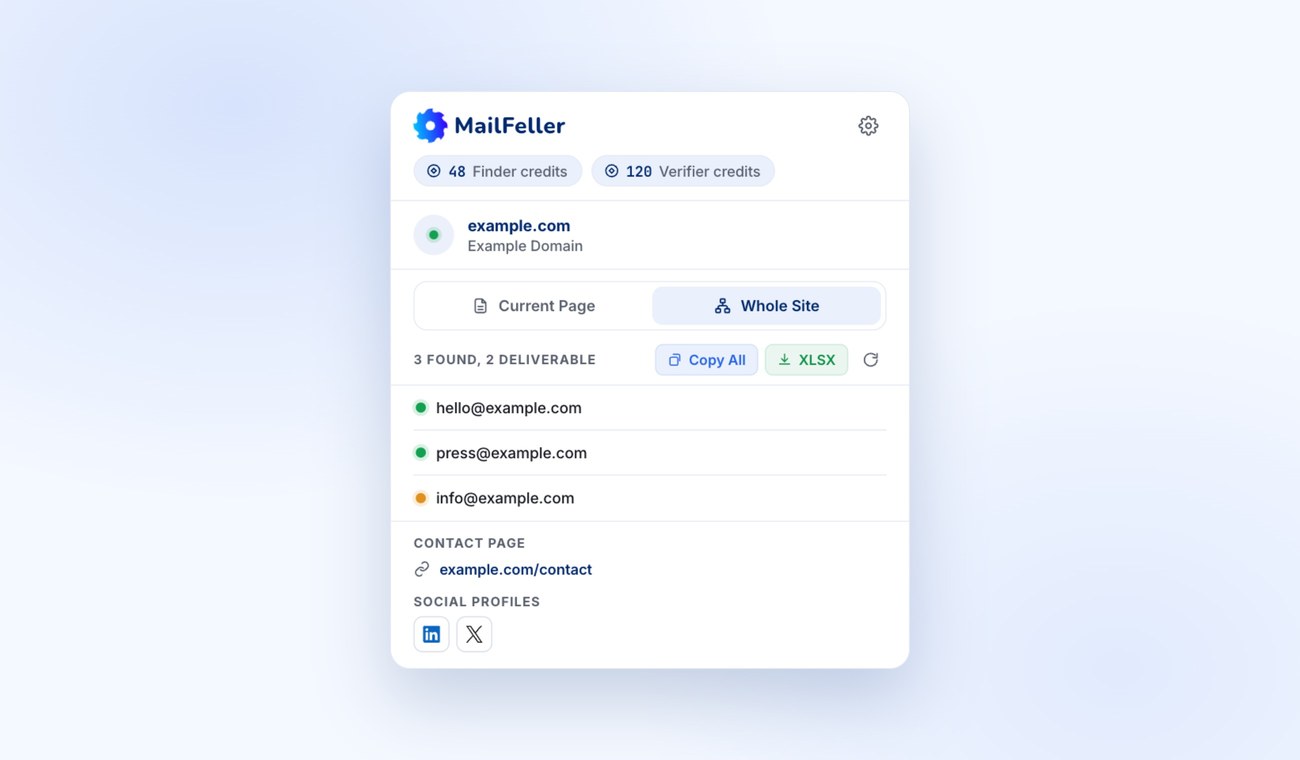
Whole Site is the same lookup as Emails Finder in the dashboard, minus the dashboard. The extension walks the whole site and brings back the contact page, the social profiles and the valid addresses. Even when the open page had nothing on it.
It costs one Emails Finder credit per domain, and only when something was found. The result is kept for seven days, and opening it again is free.
Account and credits
The extension lives on your MailFeller account. It connects in two clicks through the site and never sees or stores your password. Credits are shared with the dashboard, there is nothing extra to pay for. Disconnect at any moment from the extension itself and access is gone immediately.
What it costs
| Action | Price |
|---|---|
| Addresses on the Current Page | Free |
| Verifying an Address | 1 Emails Verifier credit per address |
| Lookup of the Whole Site | 1 Emails Finder credit per site, only if something is found |
Where to get it
The extension lives in the Chrome Web Store: MailFeller Emails Finder. Install it, press Connect, confirm the account on the site. That is it, you are good to go.